PDF text extraction vs OCR: choose the right tool
A digital PDF may contain selectable text; a scan may contain only page images. Choosing the appropriate route avoids an empty export and unnecessary recognition work.
Updated October 7, 2026 · By ConvertLayer
Open the free tool →Follow these steps
- Try selecting and copying a few words from your PDF. Readable selectable text usually means there is a text layer; use PDF to Text or PDF to Word.
- If pages are only images, choose PDF OCR, Scan to Word or Searchable PDF. Select English, Simplified Chinese or both, and correct page orientation before processing where the setting is offered.
- Compare the exported text with the original. Check reading order, tables, names and amounts. Use clearer scans if recognition is poor; exporting a scan as Word does not automatically recreate its layout.
Example: compare a text PDF with an image receipt
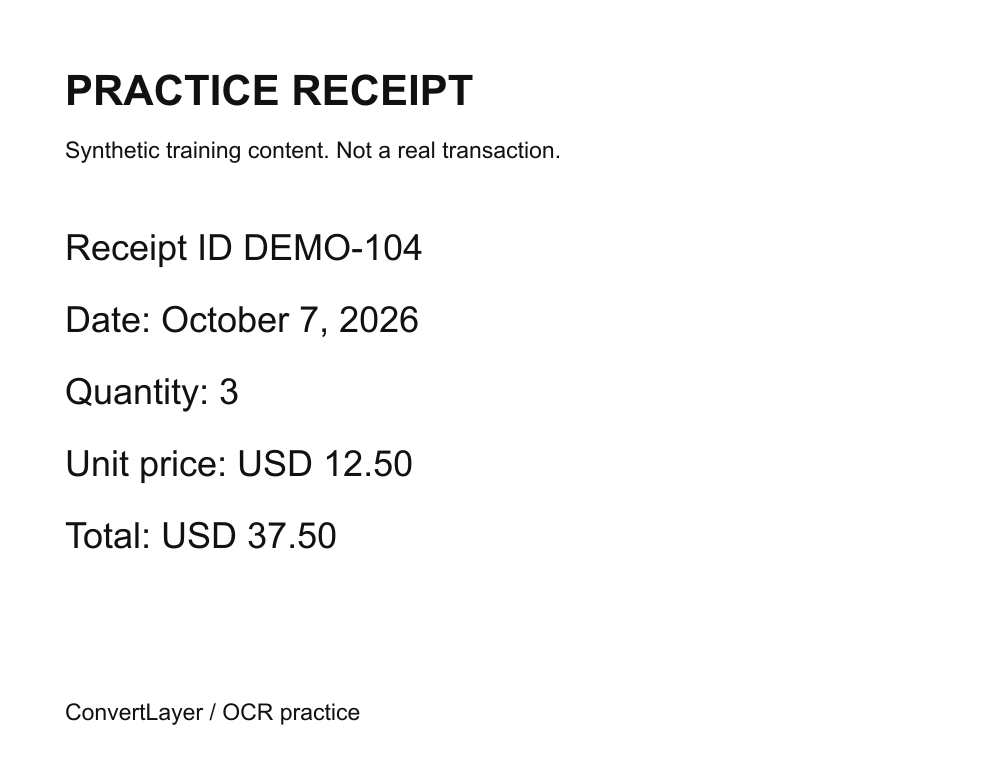
Download the practice PDF and receipt image below. In a PDF viewer, select Project brief on page 1 and copy it into a text editor. The PDF has a text layer, so PDF to Text or PDF to Word is the first route to try.
The PNG receipt contains pixels, not selectable words. Use Image OCR for it. For an image-only PDF, use PDF OCR or Scan to Word. Choose Searchable PDF if you want to retain a scan's appearance while adding a searchable text layer.
A mixed PDF can have selectable text on some pages and images on others. Test more than one page and compare the extracted output across the document. Existing text can also be garbled or out of order; do not assume that selectable text is correct text.
Try it with a practice file
These small files contain synthetic training content. Download a file, then select it in the tool; downloading does not start a conversion or send text to AI.
Check your result
- Use extraction for readable text and OCR for image-only content.
- Check every page type in a mixed document, including tables and appendices.
- Verify line order, numbers and names before feeding extracted text into AI.
Common questions
Can an image be searchable without changing its appearance?
A searchable PDF can place recognized text over the scanned page. Search and copy may work, but text quality still depends on recognition and should be checked.
Why is selectable PDF text still in the wrong order?
PDF storage order does not always match visual reading order, especially in columns and tables. Compare the export and correct it when necessary.
Choose your next tool
Limits and next steps
Direct tools need no account or payment. The online server accepts up to 4 MB per request and returns individual outputs up to 4 MB. Optional AI has separate limits and requires provider consent.
Conversion help and limits · Free AI models and consent · File privacy