How to OCR an image and check the text
Extract printed text from an image, then correct it before exporting TXT or Word. OCR is useful for notes and scans, but recognition errors can change amounts, names and dates.
Updated October 7, 2026 · By ConvertLayer
Open the free tool →Watch the workflow
A three-state visual walkthrough showing scan upload, original-to-text comparison and an editable Word export.
18-second visual walkthrough · silent · English captions
Read transcript
- Choose a scan and its recognition language.
- Compare the original with recognized text.
- Edit verified text, then download TXT or Word.
Follow these steps
- Upload a clear image and choose English or Simplified Chinese to match its text. OCR works best with straight, high-contrast printed text.
- Run recognition and compare the original with the editable text. Check numbers, names and line breaks before downloading TXT or Word.
- Try a clearer scan or crop if the output is wrong. Use Scan to Word for editable DOCX or Searchable PDF to add a text layer over the scan.
Example: recognize and check a practice receipt
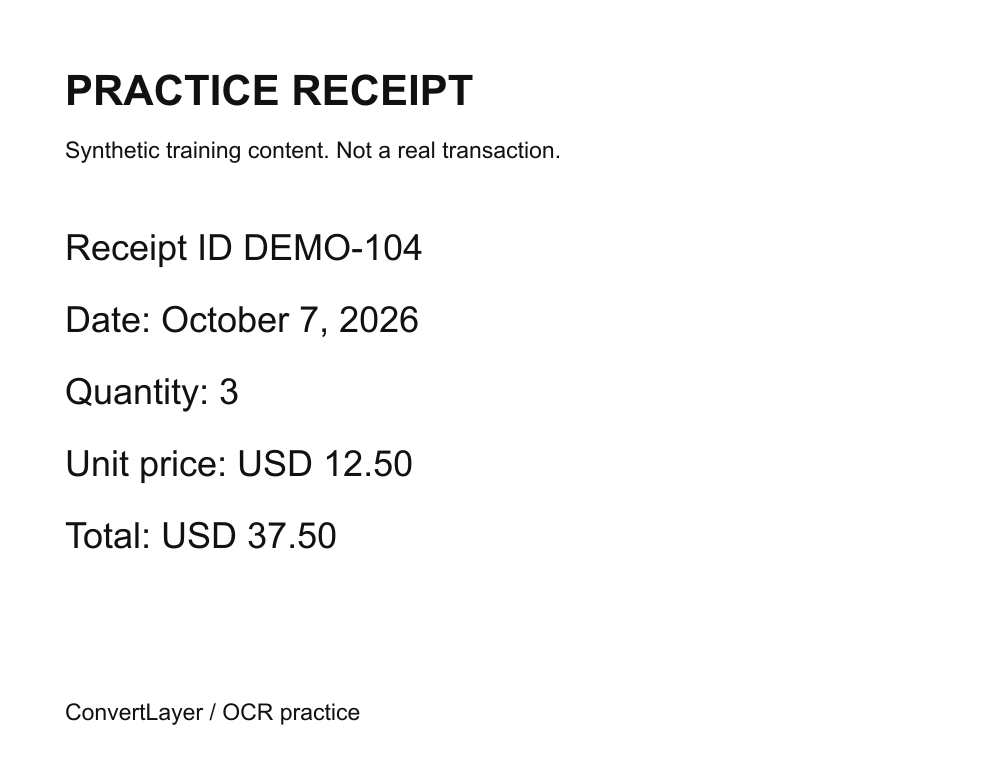
Download the synthetic English receipt image below. Open Image OCR, select English and upload the image. The sample is intentionally simple so you can learn how to compare recognized text with its source.
Check Receipt ID DEMO-104, Quantity 3, Unit price USD 12.50 and Total USD 37.50. Confirm the date October 7, 2026. Look for mistakes such as O versus 0, missing decimal points or lines joined together. Edit errors in the result before exporting.
Download TXT or Word and open it. A Word export makes recognized text editable; it does not automatically recreate a receipt layout or convert it into accounting data. For real documents, use a straight, well-lit scan and review every critical field.
Try it with a practice file
These small files contain synthetic training content. Download a file, then select it in the tool; downloading does not start a conversion or send text to AI.
Check your result
- The receipt ID and all amounts match the image character by character.
- Quantity 3 multiplied by USD 12.50 matches the printed total USD 37.50.
- The saved export includes your corrections and readable line breaks.
Common questions
Which recognition language should I choose?
Select the language that matches the source: English, Simplified Chinese or both where offered. A mismatched language can reduce accuracy.
Can OCR reliably read handwriting?
This tool is intended for printed text. Handwriting, blur, rotated pages and complex backgrounds can produce unreliable results.
Choose your next tool
Limits and next steps
Direct tools need no account or payment. The online server accepts up to 4 MB per request and returns individual outputs up to 4 MB. Optional AI has separate limits and requires provider consent.
Conversion help and limits · Free AI models and consent · File privacy